Self-serve payment kiosks offer a secure, automated alternative. These machines allow people to pay bills with cash, card, or check 24/7, without needing staff assistance. They free up your team, extend service hours, and improve the payment experience for everyone.
This guide covers everything you need to know about implementing self-serve payment kiosks, from how they work and what types are available to software considerations, costs, and the real-world results agencies are seeing.
Key Takeaways
- Self-serve kiosks automate bill collection for cash, card, and check payments, reducing staff workload.
- Kiosk types like standalone, countertop, and in-wall models can suit any agency's space and traffic volume.
- For secure payment processing, PCI-DSS compliance and EMV certification are non-negotiable security standards.
- Costs vary based on hardware complexity, cash-handling features, and the level of system integration required.
- Real-world deployments show kiosks can significantly outperform staffed cashier stations in transaction volume.
How Do Self-Serve Payment Kiosks Work?
A self-serve payment kiosk follows a simple loop: a resident uses a touchscreen to look up their bill, pays through a secure reader, and gets a receipt. Behind the scenes, the kiosk software processes the transaction and reconciles it with your agency’s billing system.
Account and Bill Lookup
The first step for any user is finding their account. Kiosks designed for government payments offer multiple lookup methods to ensure a smooth experience:
- Manual Entry: Users type an invoice number, account number, or another custom identifier.
- Barcode/QR Code Scanning: Most bills and notices include a unique code users scan to pull up account details instantly.
- Custom Identifiers: Software can search by property IDs, department codes, or other fields tied to your agency’s workflow.
Payment Capture and Processing
Once the account is found, the kiosk accepts payment across the methods agencies need most:
- Card Payments: An EMV-certified reader accepts tap, dip, and swipe from major credit and debit cards.
- Cash and Coins: Standalone models can accept bills and dispense exact change in bills and coins—important for unbanked constituents.
- Check Scanning: Some units include check acceptors that scan and process paper checks automatically.
- E-wallets: Terminals can also support common mobile payment options.
After payment, the kiosk prints a time-stamped receipt for the user's records.
Backend Integration and Reconciliation
Value shows up when payment data ties cleanly into your existing systems. Synchronization usually works in one of three ways:
- Real-Time Integration: An API updates your primary billing system the moment a payment posts, keeping records clean and cutting manual entry.
- File-Based Integration: The kiosk batches transactions into a file uploaded on a set schedule (for example, daily).
- Standalone Mode: For simpler setups, kiosks run independently, with logs and reports you export for manual reconciliation.

Security and Compliance Basics
Handling constituent payment data requires strict security. Two standards are essential:
- PCI-DSS (Payment Card Industry Data Security Standard): Requirements for any organization that stores, processes, or transmits cardholder data. Compliance hardens the kiosk and its network against card data breaches.
- EMV Certification: Applies to the kiosk’s chip-card readers. EMV (Europay, Mastercard, and Visa) creates a unique code per payment, which makes stolen card data far harder to reuse.
Ask any provider to show current PCI-DSS compliance and EMV certification before you put constituent payments on the device.
What Are the Different Types of Self-Serve Payment Kiosks?
Payment kiosks are not one-size-fits-all. They come in several form factors designed for different environments and transaction volumes.
Standalone Floor Kiosks
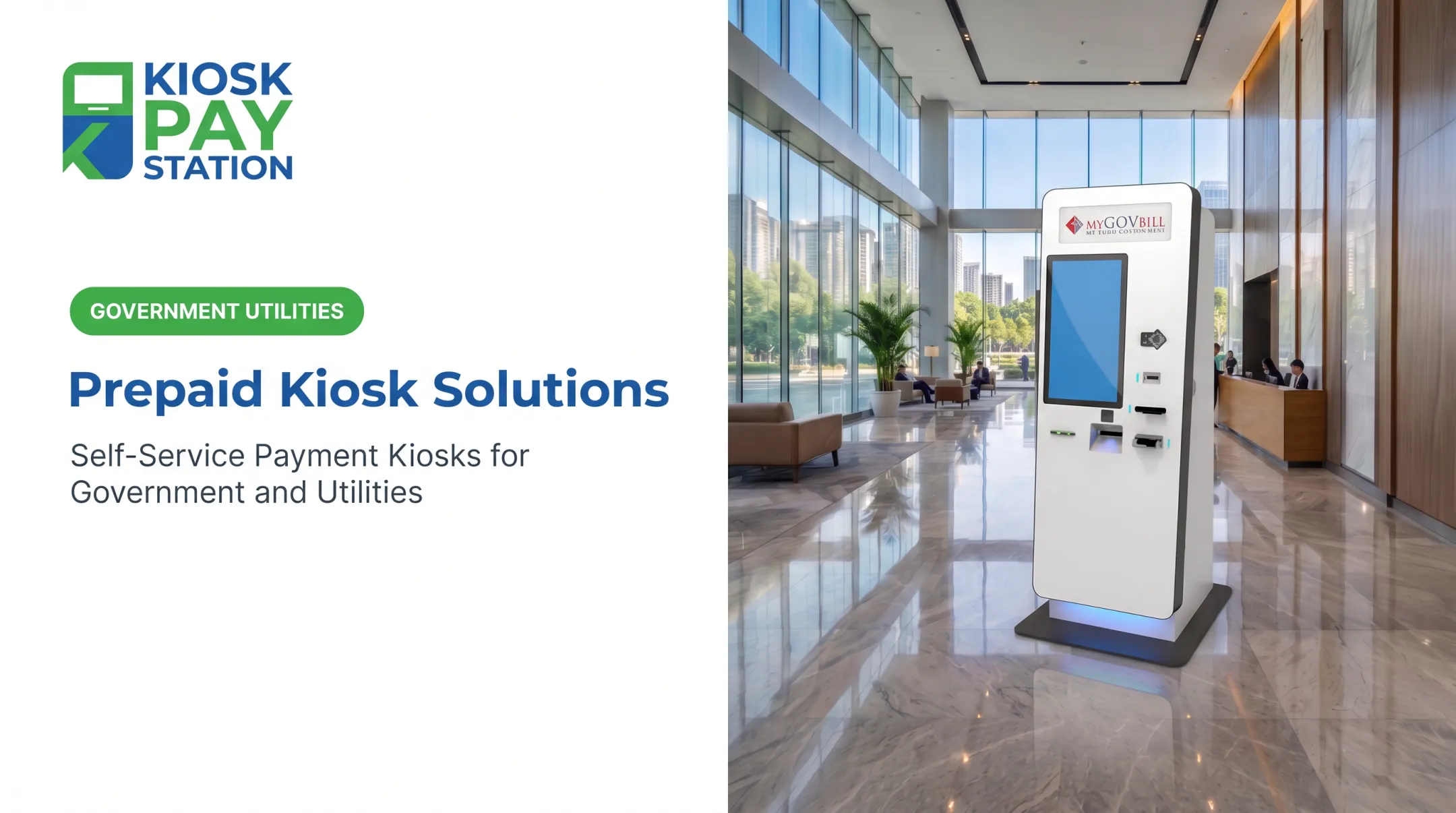
These are full-featured, freestanding units ideal for high-traffic lobbies in city halls, courthouses, or utility payment centers. They often include the full range of payment options, including cash acceptance with exact-change dispensing. Prominent placement helps visitors find and use them quickly.
Countertop Kiosks
For smaller offices or agencies looking to supplement existing staffed counters, countertop kiosks are a compact solution. They typically focus on card and check payments and sit securely on a desk or counter, using little counter space while helping shorten lines.
In-Wall Kiosks
In-wall or embedded kiosks are built directly into a wall, saving floor space in tight lobbies. Agencies often mount them in an exterior wall or interior vestibule so constituents can pay after business hours, including 24/7 access where policy allows.

Transactional bill-payment kiosks differ from informational wayfinding units or airport check-in kiosks. They are purpose-built with secure payment hardware and software for financial transactions.
Agencies deploy them across government settings—from tax collector offices in New York City to utility payment centers in Fort Wayne, Indiana, and court fine payment systems across Delaware.
Kiosk Software and Payment Processing Considerations
Hardware alone does not deliver results. Software and payment processing determine whether your kiosk runs clean transactions, stays secure, and reconciles cleanly with agency systems.
Kiosk Management Software
Kiosk software drives the interface, processes each payment, and connects to your billing backend. Prioritize platforms that support:
- Agency branding on menus, screens, logos, colors, and local terminology
- Detailed, exportable transaction logs for audit and daily reconciliation
- Automatic session timeouts to protect privacy and clear the terminal for the next user
- Remote dashboards for uptime status, alerts, and multi-kiosk performance tracking
Choosing a Payment Processor
The processor moves funds from the constituent to the agency and must meet public-sector security and reconciliation needs. After software selection, evaluate processors on these requirements:
- Full EMV certification for chip-card acceptance
- Multi-tender support for card, cash, check, and e-wallet
- End-to-end encryption from capture through settlement
- Custom data fields for property IDs, department codes, and other reconciliation keys

Benefits and Real-World Results for Government Agencies and Utilities
Implementing self-serve payment kiosks delivers measurable benefits for public sector organizations, their staff, and the communities they serve.
- Frees staff from routine cashier duties so they can focus on complex casework and constituent services
- Extends payment access beyond 9-to-5—often 24/7 depending on location—for residents who can't visit during business hours
- Eliminates manual entry errors with digitally logged payments and a clean audit trail for daily reconciliation
- Shortens lines and adds payment options, including cash, which improves constituent satisfaction
The impact can be dramatic. After Riverside County deployed two self-service kiosks, it collected over $3 million in seven days. In that same period, eight staffed cashier stations processed $2.4 million.
Those two kiosks handled more volume than eight employees combined. With over 25 years of experience and PCI DSS Level 1 certification, KIOSK PAY STATION supports government and utility payment programs through billing-system integration, monitoring, and maintenance.

How Much Does a Self-Serve Payment Kiosk Cost?
The investment in a self-serve payment kiosk can vary significantly based on your agency's specific needs. A simple, card-only countertop unit will cost less than a freestanding outdoor kiosk designed to accept cash and dispense change.
Indoor payment kiosks typically range from $8,000 to $25,000. More complex outdoor systems often cost more.
Key factors that influence the final price include:
- Hardware complexity: Cash handling is the biggest driver—bill acceptors and coin dispensers cost more than card-only builds
- Enclosure type: Weather-resistant outdoor enclosures cost more than standard indoor units
- Software and integration: Custom development and billing-system integration add to total cost
Beyond upfront hardware, budget for ongoing costs:
- Software licensing
- Payment processing fees
- Multi-year maintenance with component replacement and on-site support
Weigh total cost against staff-time savings and faster revenue collection. In one seven-day period, Riverside County’s two kiosks collected $3.01 million—more than 50% of payments—and outperformed eight staffed cashier stations that processed $2.4 million.
Frequently Asked Questions
How much does a self-serve kiosk cost?
Costs vary widely. Basic card-only indoor units often start around $8,000; full-featured outdoor models that take cash and dispense change can exceed $25,000. Hardware, software integration, and maintenance plans drive final pricing.
How do self-serve kiosks work?
Users find their account on a touchscreen by scanning a bill or entering an account number, then pay with cash, check, or card and get a printed receipt. The software processes the payment securely and updates billing records.
What are the different types of self-serve kiosks?
The main types are standalone floor units for high-traffic lobbies, compact countertop models for smaller offices, and in-wall units that can be embedded for 24/7 access without taking up floor space.
What are the top payment processors for self-serve kiosks?
Choose PCI-DSS compliant, EMV-certified processors that support card, cash, and check. For government and utility kiosks, favor partners that accept custom data fields and make daily reconciliation straightforward.
What are some examples of self-serve kiosks?
Common bill-payment examples include utility pay stations, city hall tax kiosks, court fine payment units, and parking authority terminals. Each is built for a specific account lookup and collection workflow.
What software do self-serve kiosks use?
They run on specialized kiosk application software that manages the user interface, payment hardware, and secure transaction processing. This software typically includes features for remote monitoring, reporting, and branding customization.