Introduction
Staffed payment counters have a built-in problem: they only work when someone is standing behind them. Government offices that collect utility bills, court fees, taxes, and parking fines during a narrow 9-to-5 window create backups the moment volume spikes.
Residents wait in line. Employees process the same routine transactions all day instead of handling complex cases. And when the doors close, so does the ability to pay.
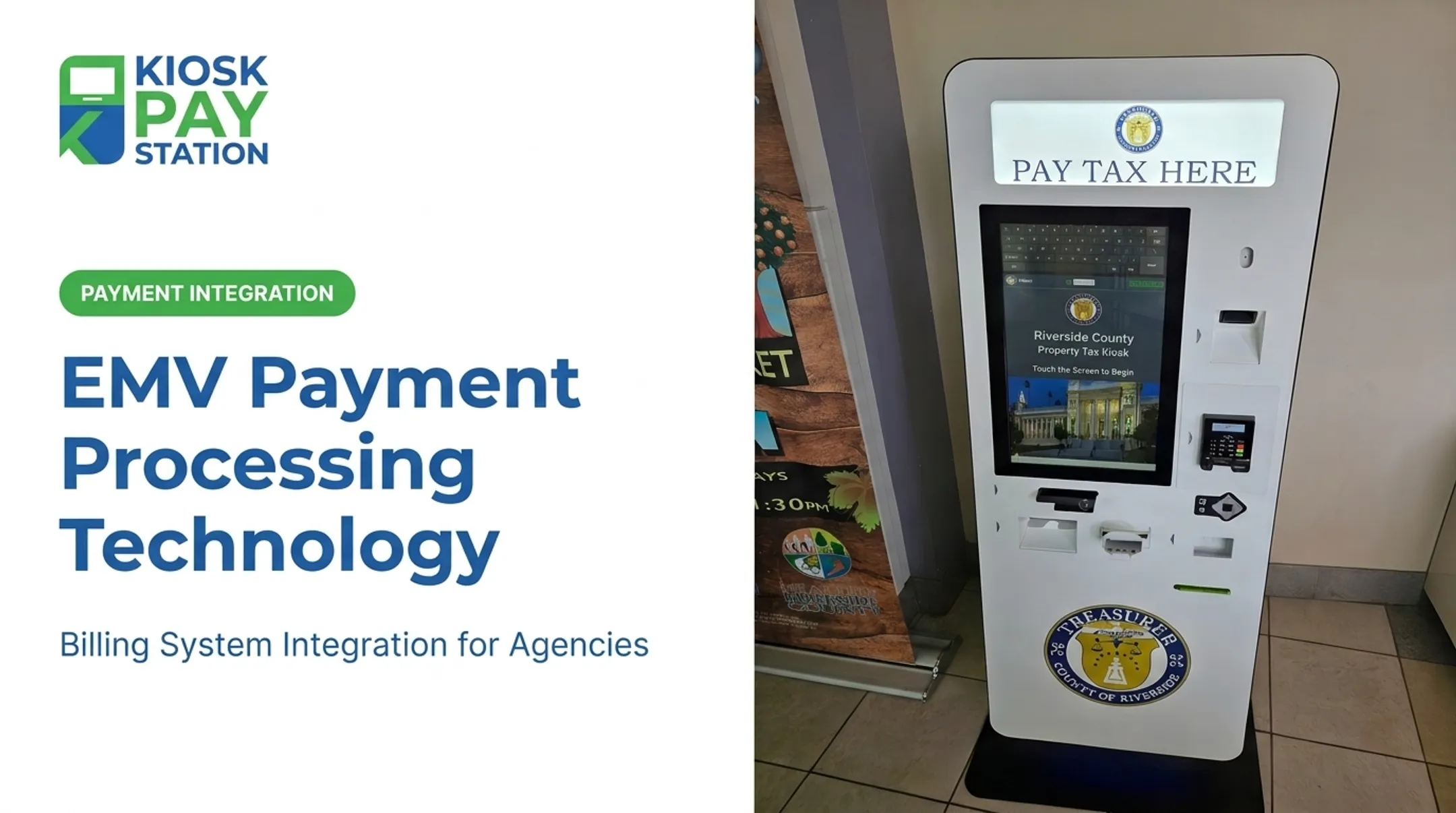
That gap shows up in real volume. In Riverside County, two payment kiosks collected $3.01 million in seven days and more than half of all payments, while eight staffed cashier stations processed $2.4 million in the same period.
An EMV payment kiosk solves the access problem, but choosing one takes more than picking a card reader. Agencies need to evaluate security, supported payment methods, accessibility, back-office integrations, and reconciliation workflows before they commit.
This guide defines what an EMV payment kiosk actually is, breaks down the features that separate a complete solution from a repurposed retail terminal, and gives public-sector buyers a practical framework for evaluating options.
Key Takeaways
- EMV payment kiosks accept chip, contactless, and other methods while posting each transaction to your billing system.
- Fit the kiosk to your payment mix, account lookup needs, integrations, and accessibility obligations.
- Require EMV certification, PCI-DSS compliance, encryption, tamper protection, and clear data-handling roles.
- Government kiosks often need cash, checks, cards, e-wallets, custom fields, and automated reconciliation together.
What Is an EMV Payment Kiosk?
An EMV payment kiosk is an unattended, customer-facing station that uses EMV-certified payment hardware to accept in-person bill or account payments without a cashier operating the transaction.
That's different from an EMV card reader or an EMV ATM. A card reader is one component: the piece of hardware that reads a chip or taps a contactless card. A payment kiosk is a complete system: the reader, plus a display, software workflow, account lookup, receipt handling, and integrations built for your organization's billing process.
A card reader confirms the card is valid. A kiosk tells you whose water bill just got paid, posts it to the right account, and hands the resident a receipt on the way out.
Core Components of an EMV Payment Kiosk
A secure card reader alone doesn't create a working bill-payment experience. Every component below needs to function as one connected system, not a collection of separate parts.
EMV payment hardware
The kiosk needs chip insert and contactless acceptance at minimum. Beyond that, confirm:
- Whether swipe fallback is supported (and whether your processor still allows it)
- PIN entry requirements for debit transactions
- Mobile wallet support (Apple Pay, Google Pay)
- Which card brands are certified for your specific processor and acquirer
Customer interface and accessibility features
These interface factors affect whether someone can complete a payment without help:
- Touchscreen and prompt readability
- Control size
- Audio or voice guidance
- Lighting and physical reach range
Confirm applicable US accessibility requirements with qualified advisors rather than assuming a kiosk vendor's general claims cover your specific facility and population.
Bill-payment software and account lookup
Residents need a fast way to find their account. Common options include invoice number, account number, name, QR code, barcode, property identifier, or agency-defined custom fields. A clunky lookup process creates errors and frustrated customers at the exact moment you're trying to reduce friction.
Cash, check, and receipt components
Some deployments need bill acceptance, check reading, receipt printing, exact-change dispensing, or digital receipts. These are configuration-dependent. Not every kiosk needs every feature, but you should know upfront which ones your operation requires.
Integration, reporting, and reconciliation
The kiosk should transmit payment and custom data to your billing, treasury, court, or utility system in a way that supports traceable transactions, daily reconciliation, and exception handling. Without this, you've just moved the manual work from the front counter to the back office.

Benefits of an EMV Payment Kiosk for Public-Service Organizations
Self-service payment access changes the math on staffing and queues. When residents can pay a bill without waiting for an available clerk, front-counter workload drops and access extends beyond staffed hours when the organization enables it.
Several municipalities have already made this shift. Yakima, Washington, introduced a 24/7 outdoor utility-payment kiosk in 2021 and kept it running even after City Hall reopened, giving residents a payment option regardless of office hours.
The operational benefits extend past the queue:
- Automated payment records cut the data-entry work that typically follows a counter transaction
- Reconciled records help staff spot mismatches before they escalate
- Residents choose the payment method that works for them, not only what a cashier's station supports
- Staff move from routine payment collection to complex service requests
In Riverside County, two kiosks collected $3.01 million over a seven-day period, more than half the total collected during that window. Those two units outperformed eight staffed cashier stations that processed $2.4 million in the same timeframe. The county's finance director credited the kiosks with cutting lines and improving service.
What to Consider When Choosing the Best EMV Payment Kiosk
The best kiosk isn't the one with the most impressive spec sheet. It's the one that matches your payment workflow, customer population, environment, and integration requirements.
The factors below connect technical capability to outcomes you can actually measure: transaction accuracy, reconciliation time, uptime, support workload, and total cost.
Payment Methods and Transaction Requirements
Start with what your constituents actually use to pay. That likely includes EMV chip, contactless cards, e-wallets, debit, credit, and, depending on your population, cash and checks.
Before comparing models, document:
- Tender types you need to support
- PIN or signature requirements
- Receipt preferences (printed, digital, or both)
- Refund and partial-payment handling
- Convenience fees and transaction limits
Skipping this step is how agencies end up with a kiosk that handles cards beautifully but can't process the checks half their customers still bring in.
EMV Certification, PCI-DSS Scope, and Data Security
EMV certification and a "PCI-compliant" label are starting points, not proof of a secure deployment. There's a real difference between a certified payment device and a fully secured kiosk system.
According to the PCI Security Standards Council, any device that captures payment-card data is part of the cardholder-data environment and falls within PCI DSS scope.
Applicable requirements vary by device, and the council's own guidance treats this as an assessment of the device's actual configuration, not a blanket certification.
Buyers should verify:
- Processor and acquirer certification for the intended kiosk configuration (not just the reader in isolation)
- Encryption and, where applicable, point-to-point encryption or tokenization
- Secure kiosk lockdown, tamper detection, and secure software update procedures
- How cardholder data moves through the kiosk, gateway, processor, and your back-office systems
- Which party (you, the processor, or the vendor) owns which piece of compliance
Encryption alone doesn't remove a kiosk from PCI DSS scope. Get specifics in writing rather than accepting a general assurance.
Billing-System Integration and Custom Data Capture
How the kiosk talks to your billing system affects account validation speed, payment posting, error handling, and how fast you can close the books each day. Real-time, file-based, and other integration approaches each carry tradeoffs.
Confirm the kiosk supports your specific systems (billing, tax, treasury, court, utility, or parking) along with custom data your department requires:
- Department codes
- Property IDs
- Case numbers
- Payment categories
Before deployment, test the complete data flow: account lookup, authorization, receipt generation, posting, reversals, refunds, and reporting. A kiosk that works in a demo but chokes on your actual account-number format is a problem you want to find before go-live, not after.

Accessibility, Language, and Public Usability
Screen height, touch target size, audio instructions, lighting, privacy, and language options all determine whether self-service actually works for your full customer base, not just the average user.
Evaluate the kiosk with representative users, including:
- People with disabilities
- Customers with limited digital experience
- Residents with limited English proficiency
- People with privacy concerns about payment amounts or account details
The 2010 ADA Standards for Accessible Design note that interactive transaction machines other than ATMs aren't automatically covered by the ATM-specific provisions in Section 707. That means you can't assume a kiosk vendor's general accessibility claims satisfy your facility's obligations.
Confirm applicable ADA, language-access, and public-facility requirements with qualified advisors before purchase.
Form Factor, Payment Environment, and Cash Handling
Standalone, countertop, and in-wall configurations each fit different spaces and traffic patterns:
| Form Factor | Best For | Key Considerations |
|---|---|---|
| Standalone | High-traffic lobbies, public spaces | Floor space, security, cash capacity |
| Countertop | Smaller footprints, cashless setups | Counter space, network access |
| In-wall | Permanent placements, exterior walls | Facilities work, weather exposure |
Cash-capable deployments add complexity. Bill validation, coin or bill dispensing, cash capacity, collection procedures, and tamper protection all need planning.
Confirm the model you're considering was designed for unattended use. The enclosure, printer, scanner, and payment components should all be rated for your installation environment, from an air-conditioned lobby to an outdoor courtyard.
Monitoring, Maintenance, and Total Cost of Ownership
Purchase price is the smallest part of the real cost. Assess remote monitoring, health alerts, software update ownership, spare parts availability, field service response times, warranty terms, and training before you sign anything.
Calculate total cost of ownership across:
- Hardware and payment processing fees
- Software and installation
- Networking and ongoing maintenance
- Cash collection procedures (if applicable)
- Accessibility modifications and staff support
Before you buy, run through this checklist:
- Request a live demonstration of the full payment journey
- Review a compatibility matrix against your existing systems
- Confirm service-level expectations in writing
- Identify who owns software updates going forward
- Define success metrics for a pilot deployment
How KIOSK PAY STATION Can Help
KIOSK PAY STATION builds self-service payment kiosks specifically for government and public-service bill payment, not a retail kiosk adapted after the fact. With more than 25 years of experience, the company supports city halls, county governments, courts, correctional agencies, parking authorities, utilities, and other public departments.
In one documented deployment, two Riverside County kiosks collected $3.01 million in seven days—more than half of all payments in that period.
Its Pay Station Pro configuration and related models are built around the features covered above:
- EMV-certified, PCI-DSS-compliant payment technology with encrypted processing
- ADA-accessible interfaces with light and voice guidance, plus multilingual support
- Flexible account lookup by invoice number, account number, name, QR code, barcode, or custom identifier
- Unlimited custom data elements per transaction, including department codes, property IDs, case numbers, and more
- Cash, check, card, and e-wallet acceptance, configured to match your operation

Agencies can choose standalone, countertop, or in-wall configurations depending on facility layout and customer flow.
For cash acceptance with exact-change dispensing in bills and coins, the standalone Pay Station Pro is worth evaluating. Confirm denomination, capacity, and security needs with KIOSK PAY STATION for your deployment.
On the back end, the platform supports:
- Real-time, file-based, or non-validated integration
- Automated daily reconciliation
- Full transaction traceability
KIOSK PAY STATION also includes 5-year onsite maintenance and component replacement, so ongoing support does not become a separate procurement item. Confirm final capabilities against your software, processor, and configuration before deployment.
Conclusion
Selecting an EMV payment kiosk is a workflow and service-delivery decision. Specs matter less than whether the kiosk fits how your agency actually collects and reconciles payments.
Match payment methods, security controls, accessibility requirements, integrations, account lookup, form factor, and support services to your real operating conditions, not a vendor's generic feature list.
Before full deployment, pilot the complete customer and back-office journey. Measure transaction accuracy and staff impact directly. Then revisit kiosk performance periodically. Payment methods, regulations, and constituent expectations change, so your evaluation criteria should too.
Frequently Asked Questions
How do EMV payment kiosks process transactions?
A customer identifies their account, selects a payment amount, and taps or inserts a chip card. The kiosk authorizes the payment through the processor, prints or sends a receipt, and transmits transaction data to your billing or reconciliation system.
What is an EMV ATM machine?
An EMV ATM is an automated teller machine that uses EMV card authentication for banking transactions like deposits and withdrawals. An EMV payment kiosk is typically built for bill or account payments and may use different software, payment methods, and cash-handling features entirely.